 Somnopsis
Your sleep data is full of hidden patterns.
Somnopsis makes them far easier to find.
Somnopsis reads the sleep data your Apple Watch already saves to Apple Health and turns it into something you can actually explore. Show only the nights and stages you care about, pinch into any hour, and line nights up side by side. Find the patterns, improve your sleep, improve your life.
Why it's hard
The data's all in Apple Health. The patterns are hard to see.
Health shows a week of nights side by side, but each one sits at a single fixed scale with every stage mixed into one tangled timeline. You can't zoom in, show only some nights, or hide the stages you aren't asking about. If you've stared at it and come away with nothing, that's why.
- Zoom
- From the whole night down to a few minutes, with the nights beside it zooming too.
- Filter nights
- Only Saturdays, or only weeknights, everywhere in the app.
- Filter stages
- Only Deep, or just REM and Deep, so you can see where they fall and how much you got.
- Compare with yourself
- Every night against your own 7-day, 30-day, 1-year, or all-time average.
- See more
- Details Health doesn't show, like your longest stretch of sleep without waking.
1
How does my Deep sleep add up?
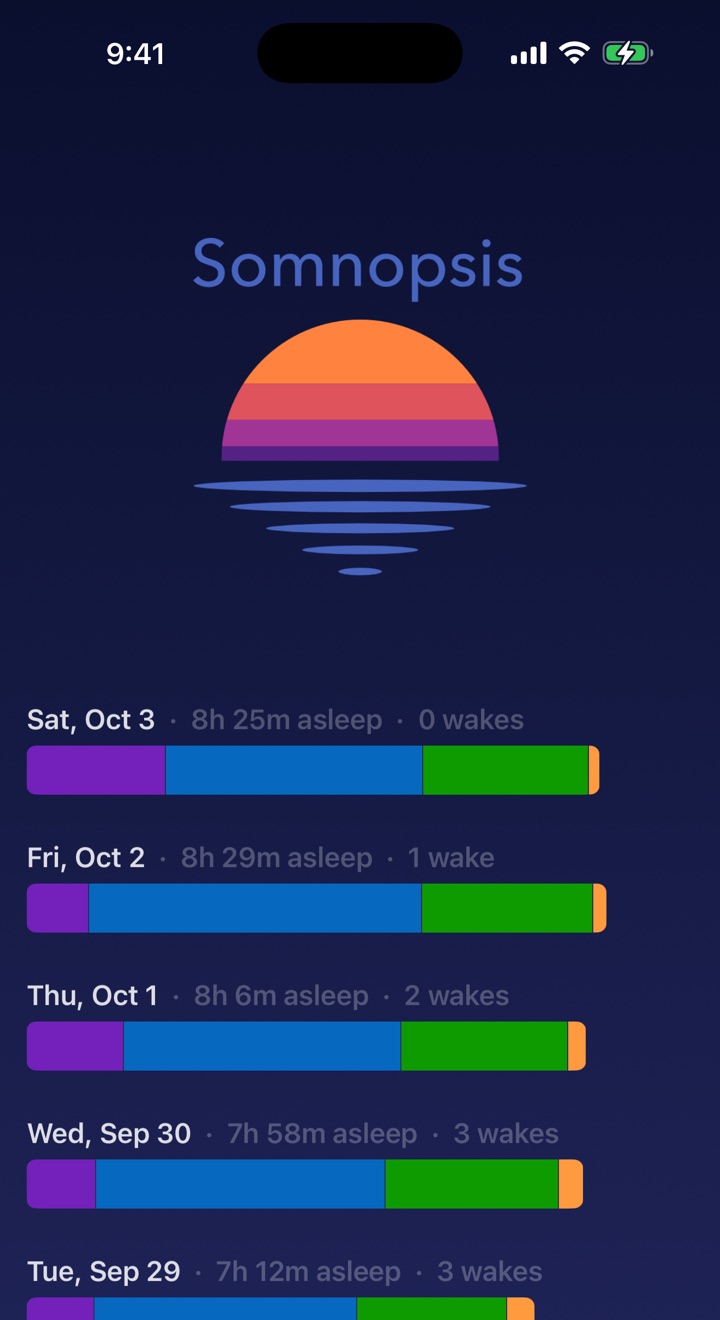
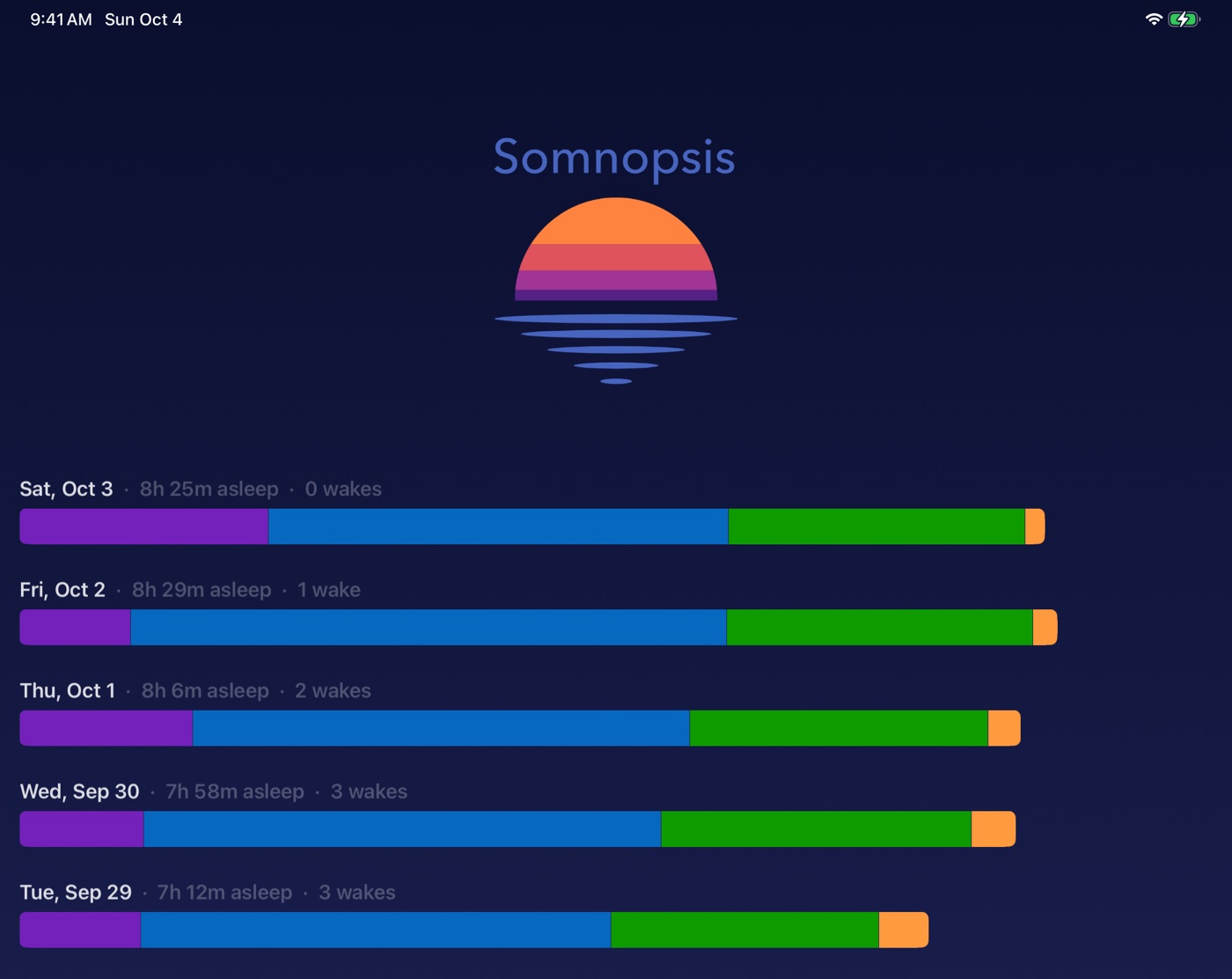
Somnopsis adds up each night's stages into a single bar, all on the same time scale, so you can scroll down and compare night after night at a glance. No piecing totals together from a timeline.
Hide the stages you aren't asking about, and the bars stretch to fill the width, so small differences between nights stand out.
Sample nights. Tap a stage or a day to try it.
2
What happens at 4 a.m. each day?
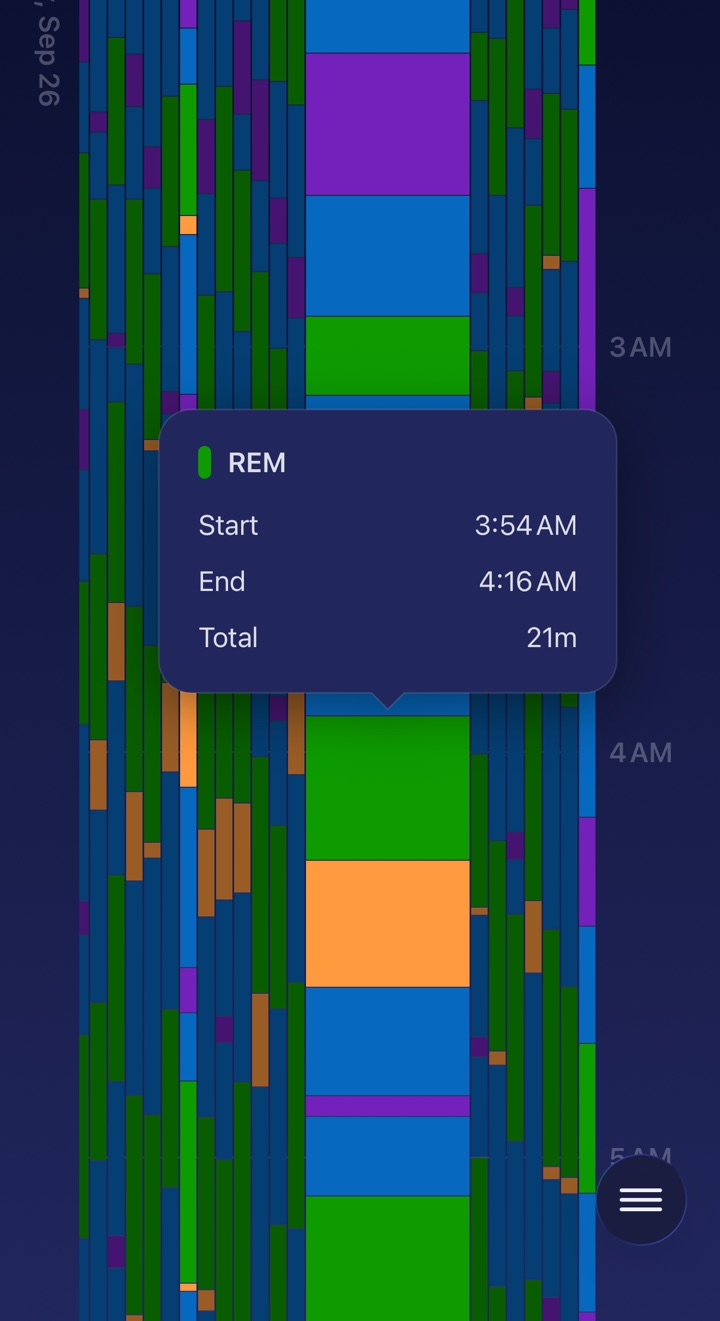
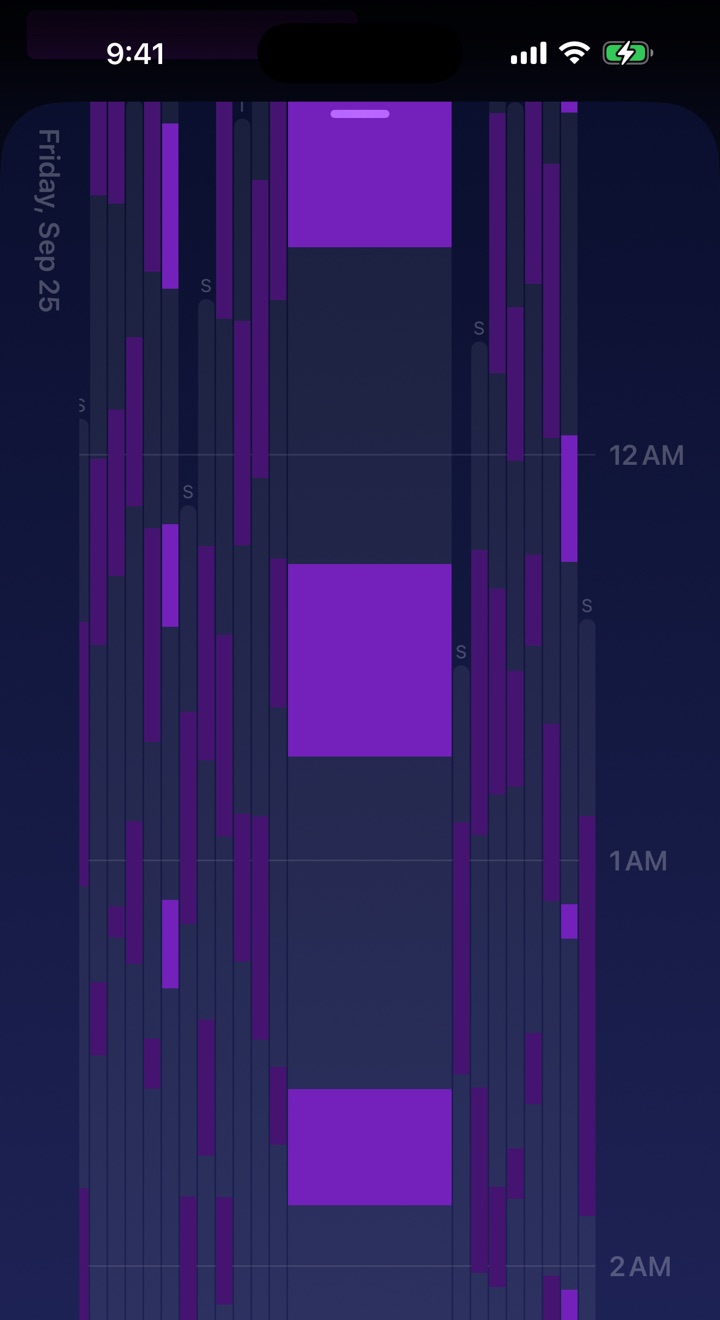
Pinch to zoom into any night, from the whole night down to a few minutes, and scroll through it hour by hour. The nights around it sit on the same timeline and zoom along with it, so a habit of waking at the same hour is hard to miss.
Tap any stage to see exactly when it started and ended. Drag sideways to slide back through weeks of nights, and swipe to another night while the timeline stays right where you left it.
3
How do my Saturdays compare?
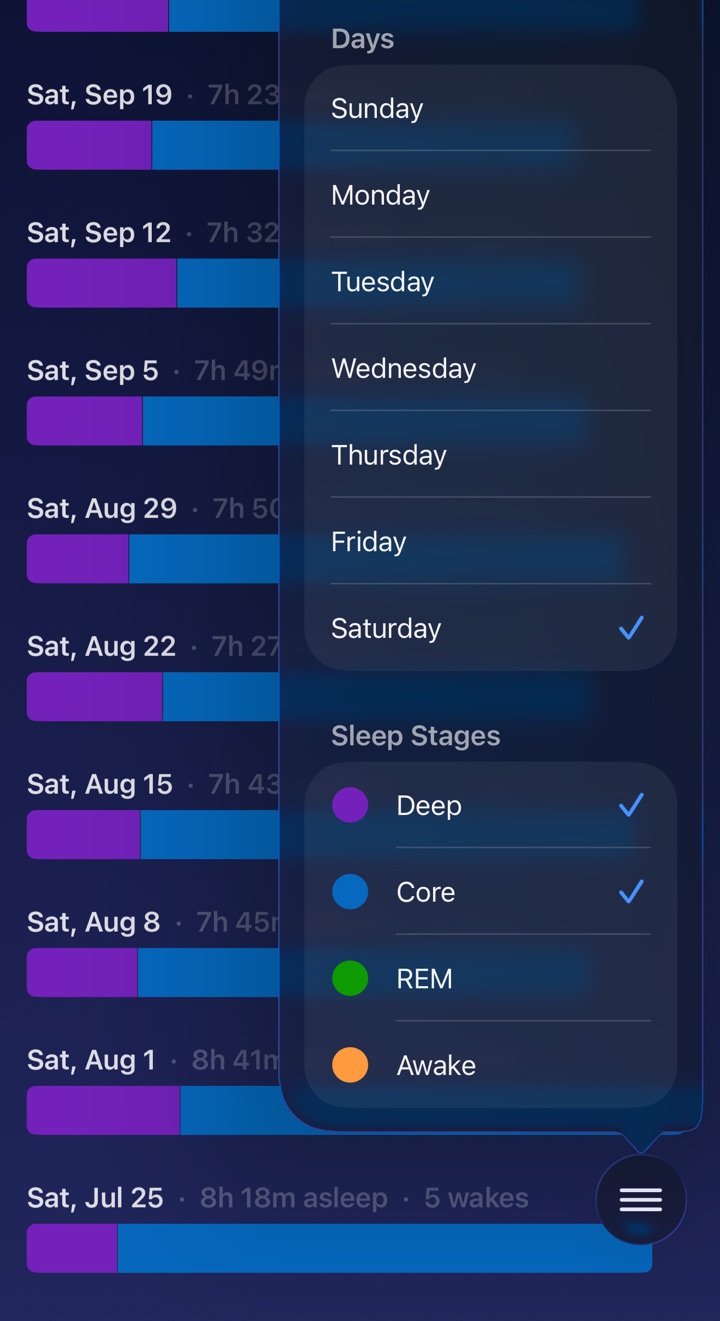
Tap the days of the week you want to see, and the whole app follows. Show only Saturdays, and your history lists just Saturdays, swiping jumps from one Saturday straight to the next, and the timeline lines them up side by side.
Then switch to weeknights and see how they differ.
4
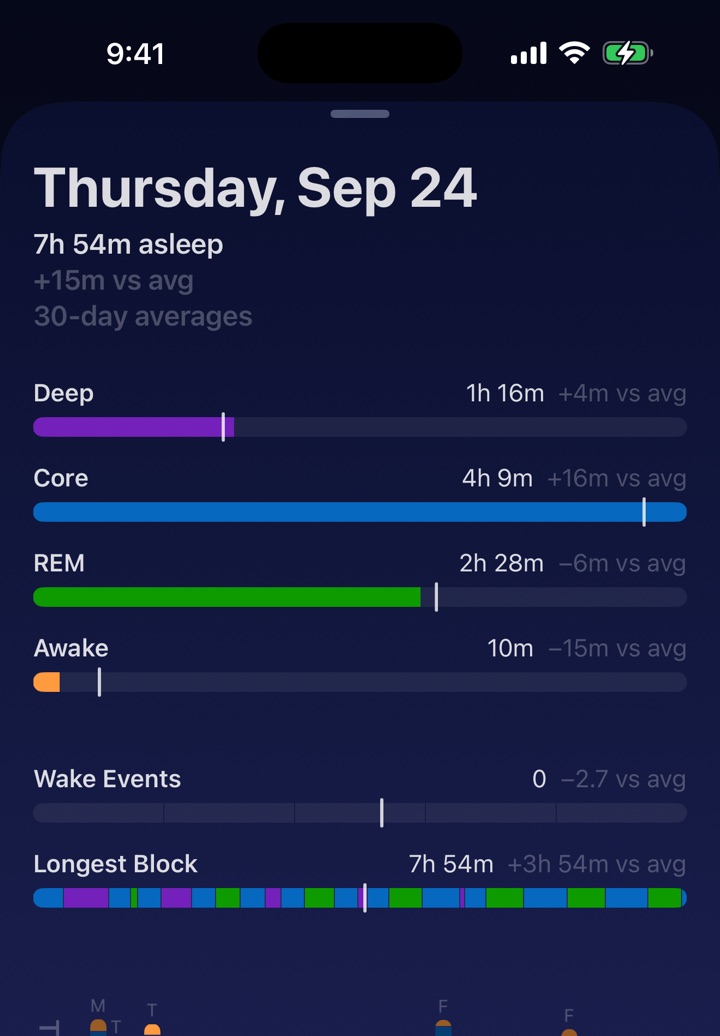
What do my best nights have in common?
More Deep sleep? Fewer wake-ups? A longer stretch without waking? Open any night to see each stage, how many times you woke up, and your longest stretch of sleep without waking, each marked against your own average.
Average over the past 7 days, 30 days, year, or all time, and tap to switch between the difference, the percentage, and the average itself.
Why Somnopsis exists
I built Somnopsis because I wanted to find ways to sleep better in my own sleep data, and Apple Health wasn't made for exploring it. How did my Saturdays compare? What was happening around 4 a.m.? Were my best nights the ones with the most Deep sleep, the fewest wake-ups, or the longest stretch without waking?
The answers were in there. I just couldn't see them. Now I can, and I hope you find yours.
-Tom
Built on Apple Health
Somnopsis reads the sleep data your Apple Watch or another tracker saves to Apple Health. It doesn't record sleep itself, and new nights load in the background as they arrive.
Private by design
Your sleep data never leaves your device. No account, no ads, no analytics, no tracking. Privacy policy
iPhone and iPad
The same history, with more room on iPad. Requires iOS or iPadOS 17 or later. Sleep stages need an Apple Watch or another device that records them.
Go find your hidden sleep patterns.